Add the Cribl FireEye HX data connector.
In this guide, you will configure the FireEye HX data connector using Cribl.
FireEye HX alert and host data must be configured as a source in Cribl Streams
Log in to Radiant Securityarrow-up-right.
From the navigation menu, select Settings > Data Connector and click + Add Connector.
Search for and select the Cribl FireEye HX option and then click Data Feeds.
Under Select your data feeds, select Cribl FireEye HX and click Credentials.
Under Credential Name, give the credential an identifiable name.
Under Required Credentials, add the Webhook Auth Token. This can be any value defined by you, preferably something long and rotated periodically.
Click Add Connector.
Login to Cribl.
Navigate to Stream.
Use the top navigation to open Manage > Groups.
From the list of groups, click the group that has the FireEye HX data as a Source.
Use the top navigation to open Data > Destinations.
Filter the Destinations to find and click Webhook.
Click Add Destination.
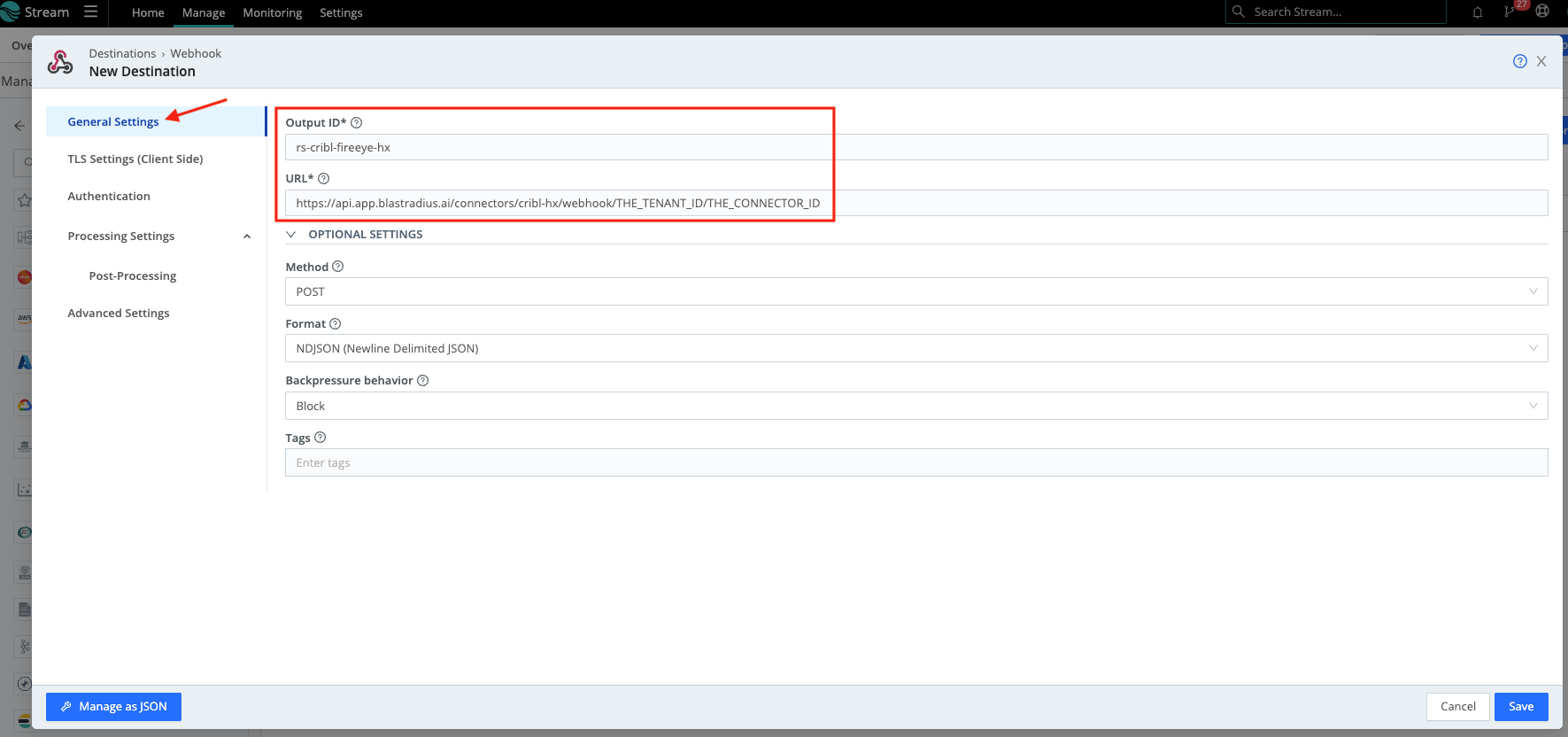
Under General Settings, configure the following:
Output ID: rs-cribl-fireeye-hx
rs-cribl-fireeye-hx
URL: https://api.app.blastradius.ai/connectors/cribl-hx/webhook/THE_TENANT_ID/THE_CONNECTOR_ID
https://api.app.blastradius.ai/connectors/cribl-hx/webhook/THE_TENANT_ID/THE_CONNECTOR_ID
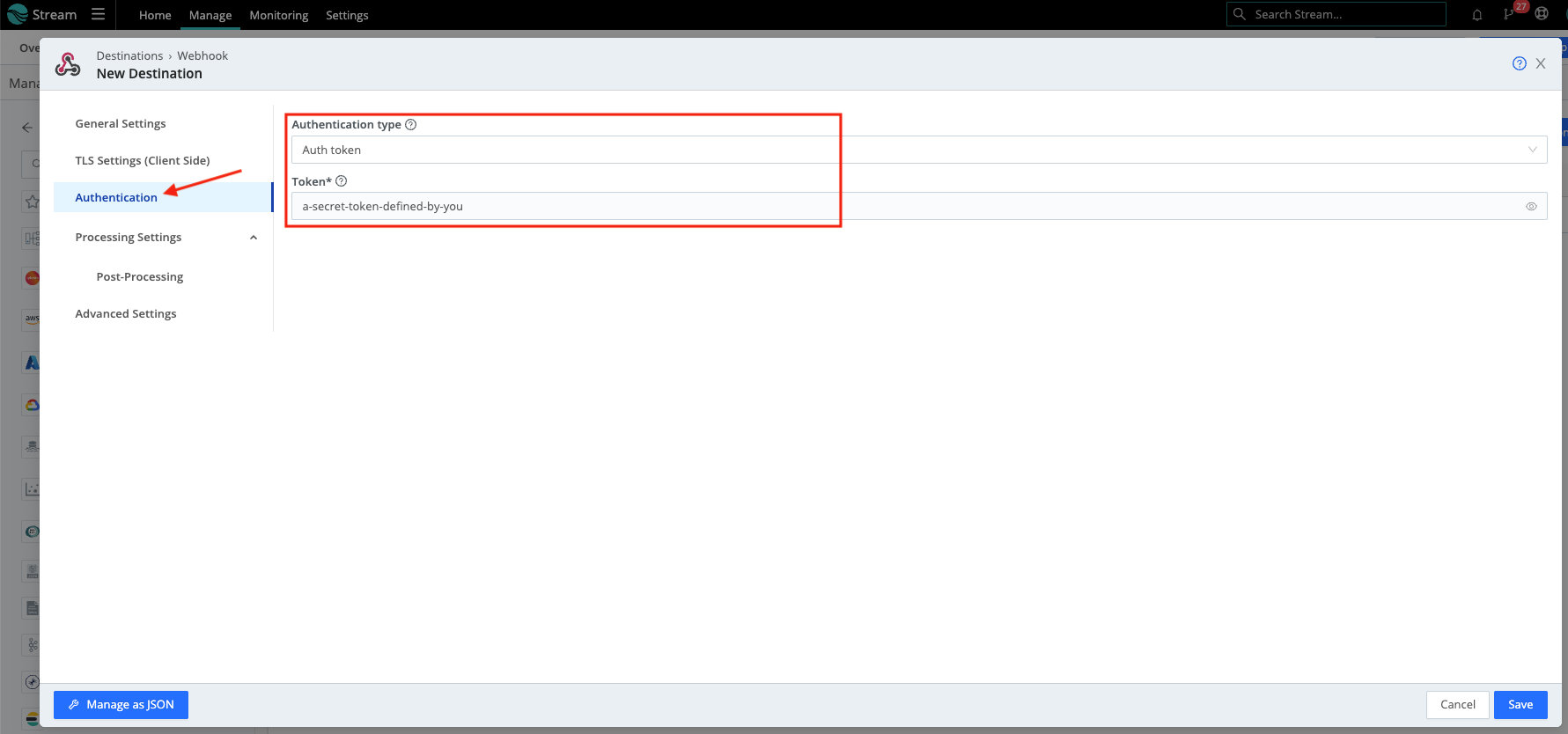
Click Authentication and configure the following properties:
Authentication type: Auth Token
Auth Token
Token: the Webhook Auth Token configured in Radiant Security
Click Save to save the connector configuration.
Use the top navigation to open Routing > Data Routes.
Click Add Route.
Configure the route to send the FireEye HX data (Hosts and Alerts) to a Pipeline that outputs to the rs-cribl-fireeye-hx Destination.
Last updated 7 months ago
Was this helpful?